Send and receive Bitcoin with SatKeep.
Manage Bitcoin alongside Ethereum, Solana, USDC and USDT. Review the network, recipient and fees before every payment.
Listed on Google Play as Bitcoin Wallet: BTC Crypto. iOS 1.0.1 has been submitted to the App Store and is awaiting review.
Portfolio
Everything you hold, on one screen.
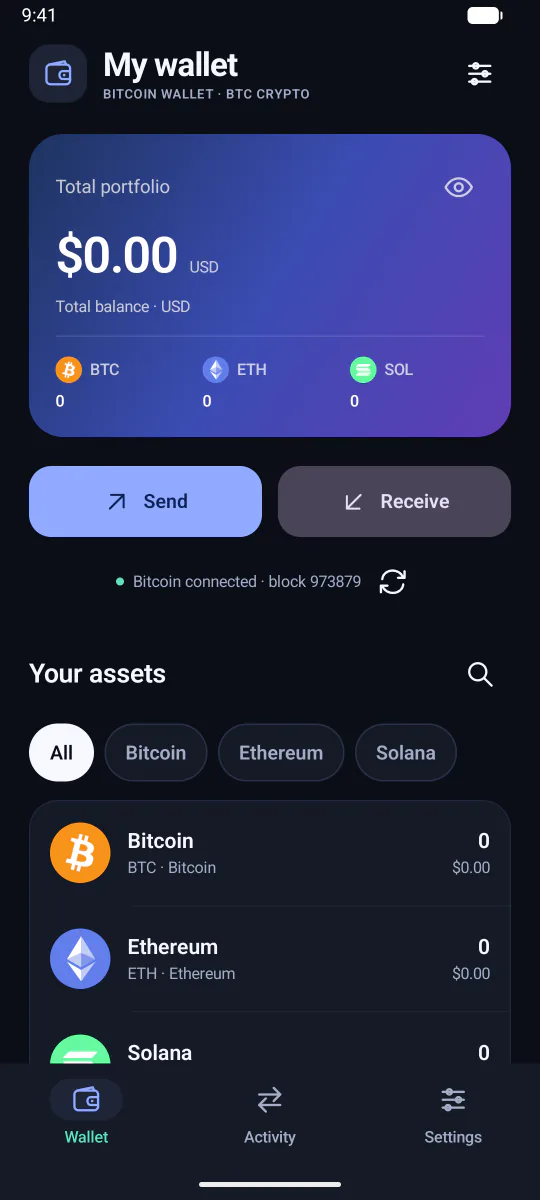
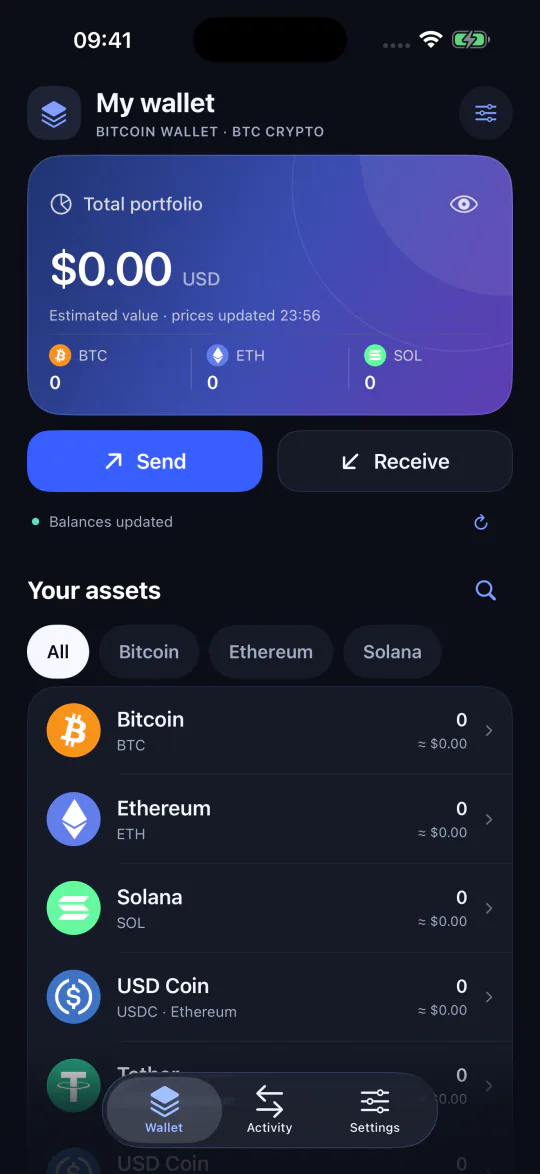
The wallet opens on a single total with your assets listed underneath. Filter by network when you want to focus, and tap through for the detail of any one asset.
- Balances come from the Bitcoin network sync and from the Ethereum and Solana providers the app queries.
- US-dollar values use public Coinbase exchange rates and are calculated on your phone. They are estimates, not quotes you can trade at, and not a guarantee of any stablecoin’s value.
- Tap the eye icon to hide balances when someone is looking over your shoulder.
Sending
Two steps, then your device asks you.
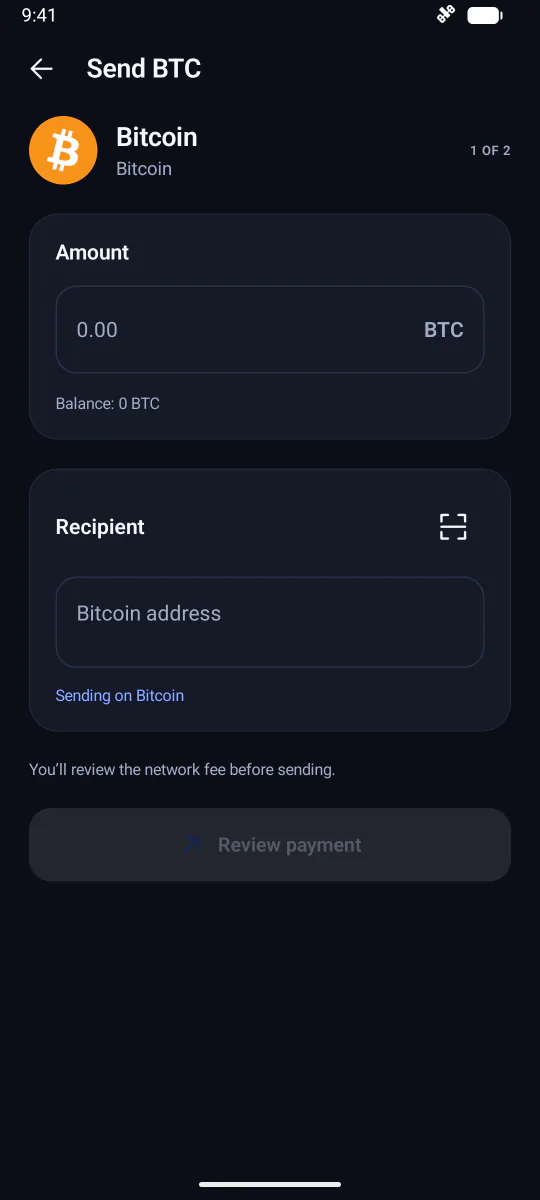
Sending is split into an entry step and a review step so you always see the whole payment before anything is signed.
- Enter. Choose the amount and paste, type or scan the recipient. The screen names the network you are sending on.
- Review. The full recipient address, the network, the amount and the network fee are shown together. Ethereum and Solana show a maximum network fee; Solana token transfers may also show the cost of creating the recipient’s token account.
- Approve. Your device’s screen lock or biometrics confirm it is you. The transaction is signed locally and broadcast.
Receiving
The right address, every time.
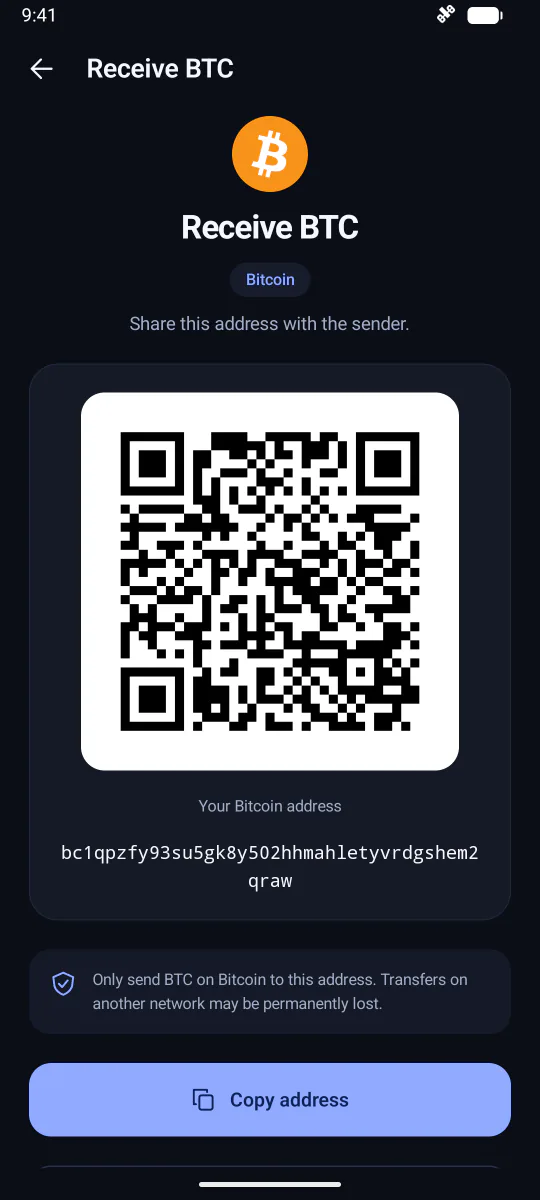
Pick an asset and the app shows the correct receiving address in full, as text and as a QR code, with the network named right under the heading. Copy it or let the sender scan it.
- Assets on different networks have different addresses: USDC on Ethereum and USDC on Solana are listed separately. Tokens on the same network may share an account address, so ETH, USDC and USDT on Ethereum show the same Ethereum address, and SOL and its SPL tokens show the owner’s Solana address. The screen always names the asset and network it is showing.
- The screen reminds you to receive only on the matching network. A transfer sent on the wrong network can be permanently lost, and no wallet can undo that.
- Copied addresses go to your phone’s clipboard; what other apps can see there depends on your Android version and settings.
Activity
A record of what moved.
The Activity tab lists your Bitcoin history alongside the Ethereum and Solana payments sent from this installation. Each entry links out to a public block explorer when you want the full on-chain detail.
Pending payments
Signed first, then sent.
A payment is saved in signed form before it is broadcast. If the broadcast fails or its result is uncertain, retrying resends the same signed transaction rather than creating a second payment.
Once a transaction has been broadcast, closing or locking the app cannot cancel it. That is how public blockchains work, and the review step exists so you never need to try.
Platforms
Android today. iOS awaiting review.
The two apps share a design and the same list of assets, but they are separate builds with different backup formats, from the same publisher.
| Android | iOS | |
|---|---|---|
| Status | Version 1.1.0, published on Google Play | Version 1.0.1 submitted to the App Store, awaiting review |
| Backup | Encrypted wallet backup file, protected by a password you choose | 12 recovery words created with the wallet |
| Restore accepts | Compatible encrypted Bitcoin Wallet backup files | 12- or 24-word BIP39 phrases, optional passphrase |
| Recovery material | Private app storage; Android auto-backup disabled | Device Keychain, not synced to iCloud |
| Bitcoin connectivity | Syncs directly with Bitcoin peers | mempool.space over HTTPS |
| Analytics | None in 1.1.0; optional and off by default from 1.2.0 | Optional and off by default from 1.0.1 |
Under the hood
Built on open Bitcoin software.
The Android app is based on Bitcoin Wallet and the bitcoinj library, with Rowix’s modifications distributed under the GNU GPL version 3 or later. Multi-network support uses the Wallet Core component. Recipients of the app can request the corresponding source and build instructions for their release by email; no wallet information is needed.
Cryptocurrency artwork comes from the cryptocurrency-icons project (CC0) and the Bitcoin mark from Bitcoin Design. Names and marks identify assets and components only.
How to request the sourceHonest limits
What we do not claim.
- The app has not been independently security-audited.
- Local signing, device protection and platform storage safeguards help protect your wallet; they do not guarantee security or anonymity on every device.
- Confirmation times and fees vary with each network and cannot be promised.
- The publisher cannot recover missing keys, reset a wallet or backup password, or reverse a blockchain payment.
Try it on Android.
Bitcoin Wallet: BTC Crypto version 1.1.0 is on Google Play. Questions first? Write to info@rowix.com.
Listed on Google Play as Bitcoin Wallet: BTC Crypto. iOS 1.0.1 has been submitted to the App Store and is awaiting review.